
Restaurant Management

Three wholesalers' prices are on WhatsApp; orders go by phone and due dates live in memory

Supplier and Purchasing Management keeps every supplier in one list and shows prices for the same item side by side. At critical stock an order draft is created by itself; the invoice is in the PDF archive and the due date is on the calendar.

Supplier and purchasing
In short

Supplier and Purchasing Management is the Panda Restoran module that keeps supplier cards, price lists by item, purchase orders, goods receipts and supplier invoices on one screen. Prices from different suppliers for the same raw material show side by side; at critical stock level an order draft is created and goes to the supplier once approved. Invoices are recorded with a due date and the PDF is stored in the archive.

How is this work done today?

  • Price lists are scattered across messages

    Each wholesaler sends prices on WhatsApp or by email, and people search for which one is current. The same item is bought from different suppliers at different prices on different days.

    1 purchasing lead × 1 hour / week
  • Orders by phone, with no confirmation

    Stock is counted in the morning and the wholesaler is called; what was ordered is on paper. When delivery does not match the order, a short delivery gets accepted.

    1 head chef × 30 minutes / day
  • Due dates and payments live in a diary

    Supplier invoices are in a folder, due dates in a diary; an overdue payment is remembered when the supplier calls. When an invoice is lost, the amount is asked from the supplier.

    1 restaurant owner × 2 hours / week

How does Supplier and purchasing work?

  1. 1

    Suppliers and items are matched

    A supplier card is opened; which raw material they supply, at what unit and price, is recorded item by item. A price list is imported from Excel or PDF.

  2. 2

    Prices are compared

    Supplier prices for the same raw material sit side by side in one table; the last purchase price and the price change history show on the same row.

  3. 3

    The order is created and sent

    An order draft is created for a raw material that hits critical stock; the purchasing lead approves the quantity, and the order goes to the supplier as a PDF by email or WhatsApp.

  4. 4

    Goods receipt, invoice and due date

    Delivered goods are accepted against the order; the invoice is recorded with its due date, enters the PDF archive and drops into the Income and Expense module.

See how Supplier and purchasing would work in your business

Tell us briefly about your process and we will walk through the screens with your own example.

  • Reply the same business day
  • 15+ years of experience
  • 90 client businesses

Supplier and purchasing features

Supplier and purchasing: Supplier price comparison
  • Supplier price comparison

    Prices from different suppliers for the same item on one screen, side by side; unit conversion (case, kg, piece) is calculated in the table.

  • Automatic order draft

    For a raw material that hits critical stock level, an order draft goes to the default supplier; quantity and supplier can be changed on approval.

  • Sending orders

    An approved order goes to the supplier as a PDF by email or WhatsApp; the order number is used for matching at goods receipt.
Supplier and purchasing: Goods receipt and shortage list
  • Goods receipt and shortage list

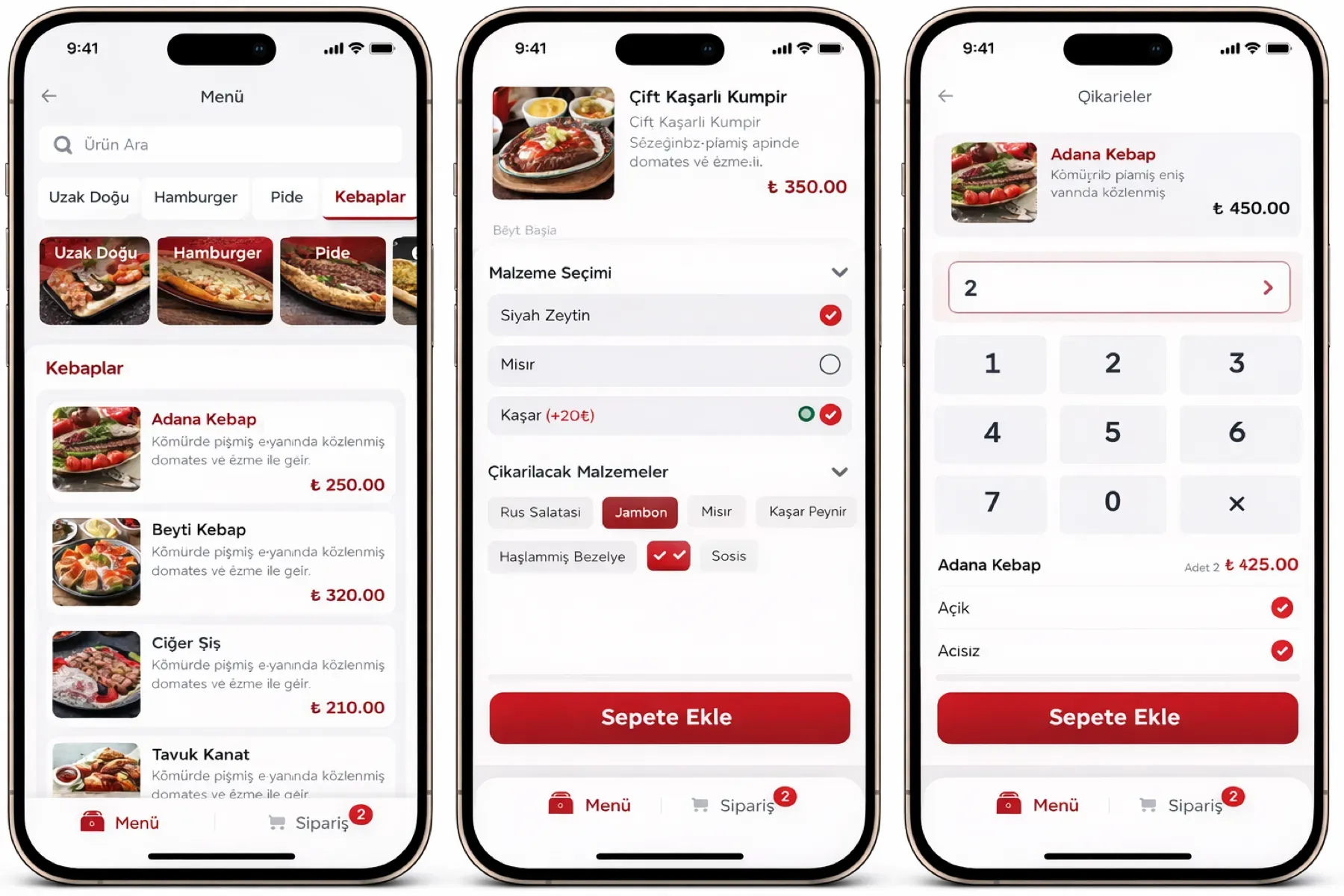
    Delivered goods are compared with order lines; short and extra lines are listed, and the accepted quantity enters stock.

  • Due date tracking

    An invoice is recorded with its due date; upcoming payments appear on the calendar and in notifications, and a paid invoice is matched with a cash or bank movement.

  • Digital invoice archive

    Purchase invoices are stored as PDFs by supplier and date; e-Invoices fall into the archive by themselves, and search works by date, supplier and amount.

  • Price change history

    The purchase price of every raw material by supplier is stored in date order; an increase flows into recipe cost and margin.

  • Supplier performance

    Delivery time, short deliveries and price changes are reported by supplier; the comparison is available as Excel and PDF.

What does Panda AI add to Supplier and purchasing?

The Purchasing and Supply Agent is the Panda AI agent that puts incoming quotes into a comparison table and drafts purchase requests for critical stock.

  1. Today Supplier quotes are copied into a table by hand With the agent Incoming quotes are ready in a comparison table
  2. Today Critical stock levels are noticed late With the agent A draft purchase request for critical stock
  3. Today Late orders are chased by phone With the agent Alerts for orders whose delivery date is approaching

Jobs it takes on

  • Collecting and comparing quotes
  • Supplier performance summary
  • Open order and delay tracking
  • Draft purchase requests
  • Price change alerts
  • Draft e-mails to suppliers

The agent prepares, a person approves. Anything that posts a record or sends something outside the company goes through your approval.

Explore Panda AI agents

Frequently asked questions about Supplier and purchasing

How do supplier price lists get into the system?

A list that arrives as Excel or PDF is imported; item names are matched with Panda Restoran raw material cards, and rows that do not match come back as a list. A single price change is updated by hand on the supplier card. The validity date of each price is recorded.

Does the automatic order really go to the supplier?

No, a draft is created. For a raw material that drops to critical stock, an order draft is prepared with the default supplier and a suggested quantity. The purchasing lead checks the quantity and supplier and approves; only after approval does the order go out by email or WhatsApp.

How is a short delivery handled at goods receipt?

Delivered goods are compared with the order lines; short, extra and damaged lines are marked on the goods receipt screen. Only the accepted quantity enters stock; the shortage list is reported to the supplier and used when checking the invoice. If the invoice does not match the order, the difference list goes to accounting.

How are payments coming due reminded?

The invoice record carries a due date; upcoming payments are listed on the calendar screen and in the morning notification. When payment is made, it is matched with the cash or bank movement and the record closes. Making and approving the payment is the business owner's decision; the system does not pay.

Is purchasing done centrally for several branches?

Both methods can be set up. In central purchasing, branches' critical stock drafts are collected at head office, one order is placed and goods are distributed to branches by transfer. In branch-based purchasing, each branch places its own order; head office sees all orders and supplier prices in one list.

How are supplier invoices passed to accounting?

The invoice PDF and record details drop into the Income and Expense module with the due date; the period-end statement comes out as Excel for the accountant. With the Panda ERP pre-accounting module, the invoice goes straight to the supplier account and the voucher draft; an incoming e-invoice arrives by itself.

How does a price increase reach recipe cost?

With a goods receipt or invoice record, the current purchase price of the raw material changes; the cost and margin of every item tied to the recipe are recalculated. An item whose margin falls below the threshold is listed in the Product and Menu module. The pricing decision is yours; the system shows the effect.

What does the agent do in supplier and purchasing management?

Panda AI reads price lists that arrive by WhatsApp and email, writes them into a comparison table by item and prepares an order draft for critical stock. The purchasing lead approves the order; the agent does not send an order to a supplier on its own. Scenario: quote comparison.

See Supplier and purchasing with your own data

Describe your process in a few sentences and we will show you the modules that fit.

  • 15+ years of enterprise software experience
  • In the cloud or on your own server
  • Processes compliant with KVKK (Turkey's data protection law)

Last reviewed: · Panda Yazılım product team