
Panda CRM

The task was given on WhatsApp, the due date is in someone's head, and the delay is noticed when the customer asks

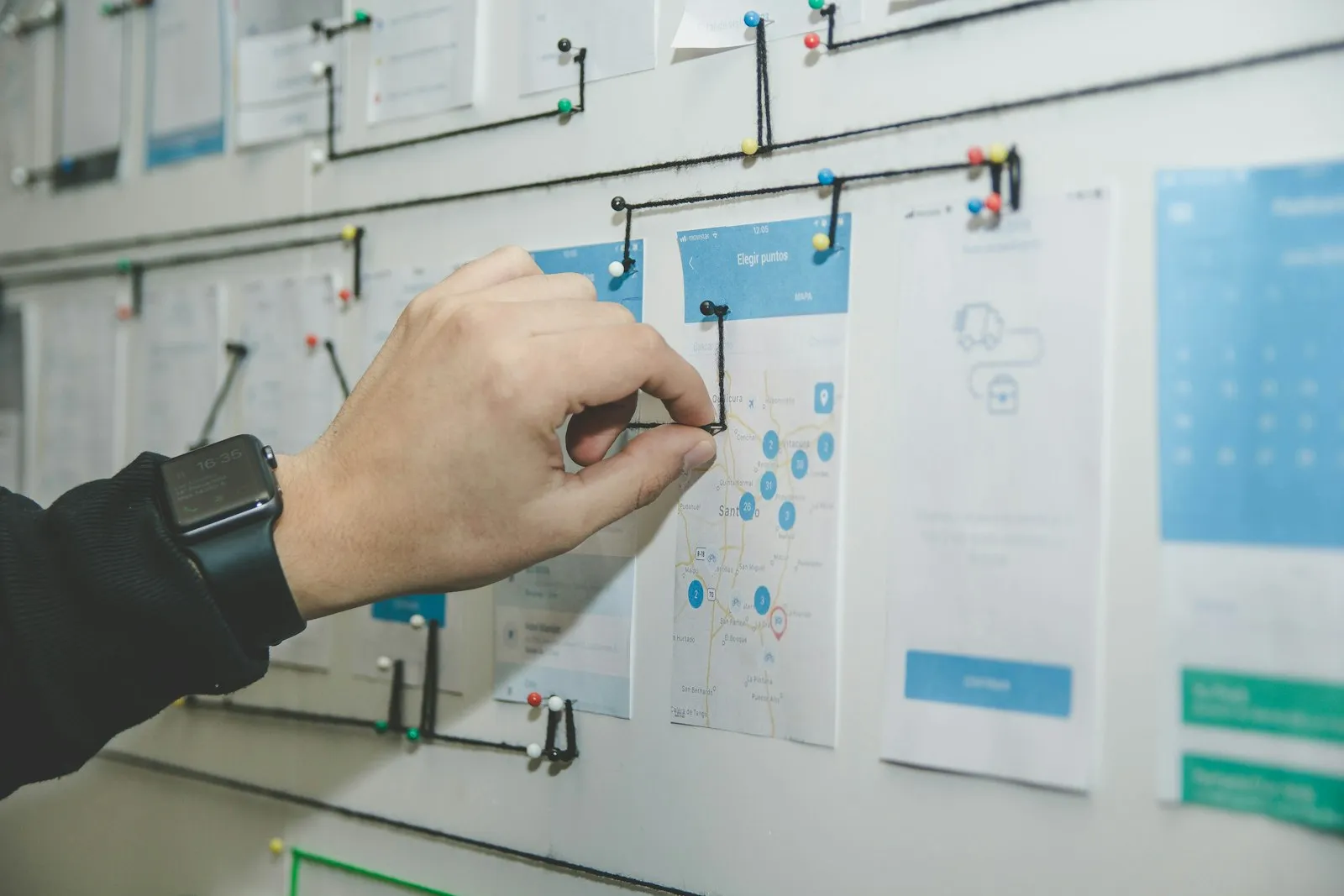
The Job Tracking Management module assigns tasks by role, gives them priority and due dates and shows progress on one screen. Cross-department workflow sits in one list; start, finish and delay are reported.

Job tracking
In short

Job Tracking Management is the Panda ERP module that assigns team tasks by role, gives them priority and due dates, shows progress instantly and reports delay. The workflow of different departments is followed on one screen; a task is linked to a customer card, an opportunity or a project. Tasks are taken and closed from the mobile app; start, finish and delay time enter the performance report.

How is this work done today?

  • Tasks are given in messages

    Work is handed out in a WhatsApp group or in the corridor; who will deliver what and when is not written down, and the I did not understand it that way argument happens.

    2 people × 20 minutes / day
  • Progress is learned by asking

    The manager learns the status of each job by asking one by one; the team gives status reports instead of working.

    1 manager × 1 hour / day
  • Delay is not measured

    Which job was delayed by how many days and in which department it got stuck; the month-end review is done with examples people remember.

    1 manager × 2 hours / month

How does Job tracking work?

  1. 1

    The task is opened and assigned

    Task title, description, priority, due date and owner are written; with role-based assignment the task lands on the right person. It is linked to a customer, opportunity or project.

  2. 2

    The workflow is defined

    A job involving more than one department is defined step by step; when a step finishes, it passes to the next owner on its own.

  3. 3

    Progress is visible instantly

    Task status is updated as open, in progress, waiting and completed; in board view, who is working on what is visible at a glance.

  4. 4

    Report and review

    Start, finish and delay time are reported by task, person and department. The agent lists delayed tasks in the morning; priority is set by the manager.

See how Job tracking would work in your business

Tell us briefly about your process and we will walk through the screens with your own example.

  • Reply the same business day
  • 15+ years of experience
  • 90 client businesses

Job tracking features

Job tracking: Role-based task assignment
  • Role-based task assignment

    A task is assigned to a person or a role; one of the people in the role takes it on, and workload distribution is visible on screen.

  • Priority and due date

    Low, normal, high, urgent; a notification goes to the owner as the due date approaches and to the manager when it passes.

  • Cross-department workflow

    Sales, operations and accounting steps in one flow; when a step finishes it passes to the next owner, and a waiting step is flagged.


Job tracking: Record link
  • Record link

    A task is linked to a customer card, an opportunity, a support ticket or a project; the task list is visible from the card concerned.

  • Board and list view

    A board by person, department and status; status change by drag and drop, with filter and search.

  • Subtasks and checklist

    A large job is split into subtasks; as checklist items are completed the progress bar fills, and any missing item is visible.

  • Time and delay report

    Start, finish and delay time of tasks by person and department; output as Excel and PDF.

  • Mobile access

    A task is taken from the phone, a note and photo added, and closed; the notification lands on the device and offline entry syncs.

What does Panda AI add to Job tracking?

The Document and E-mail Agent is the Panda AI agent that finds the information you need in contracts, quotations and correspondence, showing its source, and sorts incoming e-mail.

  1. Today Folders are searched for a single contract clause With the agent Answers the question and shows its source
  2. Today Incoming e-mails are sorted by hand With the agent E-mails are sorted by subject and priority
  3. Today It is unclear which version is the current one With the agent Document summary and comparison in one message

Jobs it takes on

  • Document search and questions and answers
  • E-mail sorting and summaries
  • Contract and quotation comparison
  • Draft replies
  • Version and date tracking
  • Task lists from meeting notes

The agent prepares, a person approves. Anything that posts a record or sends something outside the company goes through your approval.

Explore Panda AI agents

Frequently asked questions about Job tracking

What is the difference between Job Tracking and Project Management?

Job Tracking is for daily tasks and cross-department workflow: assign, follow, close. Project Management is the project card that tracks budget, cost and profitability. Project tasks are opened in Job Tracking and linked to the project card; the two modules use the same record, so there is no double entry.

Can a task be opened from an email or a message?

Yes. If Outlook, Gmail and WhatsApp Business are connected, an incoming request is opened as a task and the sender is matched to the customer card. If Panda AI is on, the work request is read from the text and a title and due date are suggested. The manager approves the assignment and priority.

How does role-based assignment work?

A task is assigned to a role, for example service technician; one of the people in that role takes the task on or the manager assigns it. The workload distribution is visible on screen and a pile-up on one person is flagged. Because of the role definition, a task does not sit unassigned when a person is on leave.

How is a cross-department workflow defined?

A step-by-step flow is defined: sales enters the order, operations prepares it, accounting invoices. When one step closes, the task drops to the next owner and the waiting time is measured. The manager defines the flow; steps are added or removed later without breaking past records.

How is delay measured and reported?

The planned and actual start and finish date of each task are recorded; the difference is written as delay. The report shows average delay and on-time completion rate by person, department, task type and period. Output as Excel and PDF, and it appears on the Dashboard.

Can the team follow tasks from a phone?

Yes. In the Uyum Mobil CRM app the task list, notifications and status changes are done from the phone; notes and photos are added. The field team syncs updates entered offline when the connection returns. The manager follows the same board in the browser.

How is a task linked to a customer or opportunity?

When a task is opened, a customer card, opportunity, support ticket or project is selected. The task list shows on the card concerned; from the customer card, the open jobs for that customer can be read at a glance. A closed task stays on the card as history and is counted in the report.

What does the agent do in job tracking?

Work requests arriving by email and message are opened as tasks, tasks nearing or past their due date are listed in the morning, and a stuck step is flagged. The manager decides the assignment and priority; the agent does not close tasks and does not change due dates.

See Job tracking with your own data

Describe your process in a few sentences and we will show you the modules that fit.

  • 15+ years of enterprise software experience
  • In the cloud or on your own server
  • Processes compliant with KVKK (Turkey's data protection law)

Last reviewed: · Panda Yazılım product team