Panda ERP

The ledger is in one program, the bank statement in a PDF, collections in a notebook

The Pre-accounting module keeps customer/supplier accounts, cash, bank, cheques and notes, waybills, invoices and collections on one record. Statements match, balances update themselves.

Pre-accounting
In short

Pre-accounting Management is the Panda ERP module that keeps customer/supplier accounts (cari hesap), cash, bank, cheque and note, waybill, invoice and collection records in a single ledger. Every invoice issued updates the account balance, bank statements are imported and matched to movements, and the list of due cheques and receivables is ready every morning. It works directly with the e-Invoicing module.

How is this work done today?

  • Bank statements are processed by hand

    Every morning a statement is downloaded from online banking, each line is traced to a customer or supplier and keyed into the program.

    1 pre-accountant × 1 hour / day
  • Account balances are asked for by phone

    Sales calls accounting to learn a customer's open balance; accounting checks the program and replies on WhatsApp.

    2 people × 20 minutes / day
  • The due-date list lives in Excel

    Cheques and open invoices are in a separate Excel file; overdue receivables are noticed at the month-end meeting.

    1 person × 2 hours / week

How does Pre-accounting work?

  1. 1

    Accounts and opening balances are imported

    Customer/supplier cards, open invoices and the cheque and note portfolio are imported from Excel or your old program; unmatched rows come back as a list.

  2. 2

    Invoices and waybills are issued

    A waybill becomes an invoice, and an invoice an e-invoice, from the same record. VAT, due date and account fill in automatically; stock is deducted at the same moment.

  3. 3

    Bank and cash match

    A statement file is imported and matched to account movements by amount, date and description. Unmatched lines are left to you as a short list.

  4. 4

    Reports are ready every morning

    Account balances, due-date analysis, cash and bank position and an income-expense summary are available on screen or as Excel/PDF for any date range.

See how Pre-accounting would work in your business

Tell us briefly about your process and we will walk through the screens with your own example.

  • Reply the same business day
  • 15+ years of experience
  • 90 client businesses

Pre-accounting features

Pre-accounting: Customer/supplier account card
  • Customer/supplier account card

    Customer and supplier balance, movement history and due-date structure on a single card; the statement is sent to the customer as a PDF.

  • Cash and bank

    Multiple cash and bank accounts; statement import and movement matching; daily cash report.

  • Cheque and note portfolio

    Cheques received and issued, endorsement and collection status, due-date calendar; the bank cheque schedule is produced by the system.

Pre-accounting: Waybills and invoices
  • Waybills and invoices

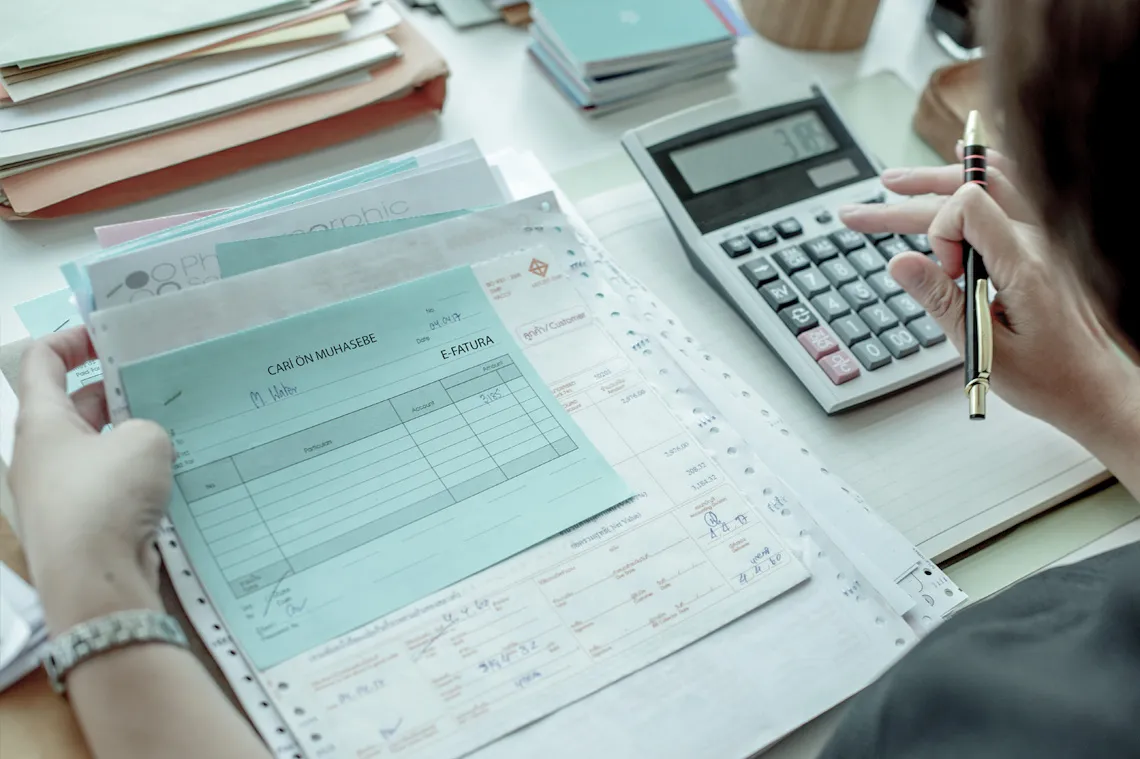
    Sales and purchase waybills, bulk invoicing, returns; one-click move from waybill to invoice and a direct link to the e-Invoice module.

  • Collections and payments

    Cash, transfer, credit card and cheque collections post to the account card; partial collections and advance payments are tracked.

  • Stock link

    Stock falls when an invoice is issued and rises on a purchase invoice; sales breakdowns by period and warehouse.

  • Reporting

    Account ageing, due-date analysis, income-expense and VAT reports for any date range; output in Excel and PDF.

  • Mobile and web access

    The same records in the browser and on the phone; the field team sees account balances without calling accounting.

What does Panda AI add to Pre-accounting?

The Finance and Accounting Agent is the Panda AI agent that takes on due-date tracking, bank-to-ERP matching and draft account reconciliations.

  1. Today Bank transactions are matched to the ERP by hand With the agent Unmatched transactions are listed every morning
  2. Today Due-date lists are kept separately in Excel With the agent A cash flow forecast is ready on current data
  3. Today Account reconciliation e-mails are written one by one With the agent Reconciliation e-mails arrive as drafts; approval is yours

Jobs it takes on

  • Due-date and collections tracking
  • Bank-to-ERP matching check
  • Cash flow and budget variance report
  • Draft account reconciliations
  • Invoice and expense inconsistency alerts
  • Month-end closing checklist

The agent prepares, a person approves. Anything that posts a record or sends something outside the company goes through your approval.

Explore Panda AI agents

Frequently asked questions about Pre-accounting

What is the difference between pre-accounting and general accounting?

Pre-accounting is the daily commercial record: accounts, cash, bank, invoices, collections. General accounting is those records carried into the journal and general ledger. In Panda ERP a pre-accounting record lands automatically as a draft general-ledger voucher; the accountant approves it.

In what format are bank statements imported?

Excel and CSV files exported by banks are imported. If the e-Bank module is on, movements arrive directly from the bank; matching is done on the same screen.

Can we use it if we are not e-invoice taxpayers?

Yes. Paper invoices and B2C e-receipts are issued from the same screen. When the e-invoice requirement applies to you, the e-Invoice module is switched on; account and invoice records do not change.

Can our accountant access the records?

A permission-based user is created; the accountant exports only the records they can see or approves vouchers in the General Accounting module. Who changed what is kept in the audit log.

What does the agent do in this module?

Bank statements, the e-invoice list and account movements are matched every day; unmatched items arrive as a short list in the morning. Accounting does not key anything in, it approves the list. Scenario: daily reconciliation.

Can each of our branches' cash be tracked separately?

Yes. A separate cash and bank account is defined for each branch, and a branch user sees only their own cash. Head office gets the consolidated cash-bank report on one screen, and transfers between branches are recorded.

How are statements and balance notices sent to customers?

The statement is produced from the account card as a PDF and sent by email. A reminder template is defined for receivables that are close to or past due; accounting approves each send, and the text is your template.

Is foreign-currency account tracking available?

Yes. The account card is opened in a currency and movements are kept in both that currency and TL; exchange-rate differences are calculated at period end and land in the voucher draft. For foreign customers and suppliers it links to the foreign trade file.

How are credit card and virtual POS collections processed?

Collections through a POS device or virtual POS are written to a credit card account; when they reach the bank account they match with the commission deducted. The end-of-day POS report is compared with the system record, and the difference list goes to accounting.

See Pre-accounting with your own data

Describe your process in a few sentences and we will show you the modules that fit.

  • 15+ years of enterprise software experience
  • In the cloud or on your own server
  • Processes compliant with KVKK (Turkey's data protection law)

Last reviewed: · Panda Yazılım product team