
Panda ERP

The tender list is in Excel, the books are in cartons, and nobody knows which institution got which carton

Panda Barcode splits the Excel list of a book supply tender into per-institution orders, matches each book with a barcode reader and prints institution labels on a thermal printer. Preparation, cartons, dispatch and reports on one screen.

Panda Barcode
In short

Panda Barcode is a barcode application for library and school book supply tenders that splits the Excel book list into per-institution orders, matches every book with the list through a barcode reader, prints institution and carton labels on a thermal printer, and reports carton contents and dispatch. It is built for publishers, education suppliers and distributors who enter public tenders, and works with your existing readers and printers.

How is this work done today?

  • Lost among Excel files

    The tender list arrives in a single Excel with institution, book and quantity columns; a separate list is copied by hand for each institution, and when a formula breaks, quantities drift.

    1 person × 1 day / tender
  • A book goes to the wrong institution

    While packing a carton the book title is read and the institution name is checked from paper; another edition of the same title ends up in the wrong carton.

    2 people × 2 hours / day
  • Carton contents are asked after dispatch

    When an institution reports a missing book, nobody knows what was sent in which carton; the carton list was written by hand and its photo is on WhatsApp.

    1 person × 1 hour / dispute

How does Panda Barcode work?

  1. 1

    The Excel is uploaded and splits automatically

    The tender list is uploaded as Excel; institution, book, ISBN and quantity columns are mapped and the list splits into per-institution orders. Missing or duplicate ISBNs come back as a list.

  2. 2

    Books are scanned and matched

    On the preparation screen the book is scanned with the barcode reader; the ISBN matches the order, the quantity drops, and a book not on the list or an excess copy raises an instant warning.

  3. 3

    Labels are printed and the carton is closed

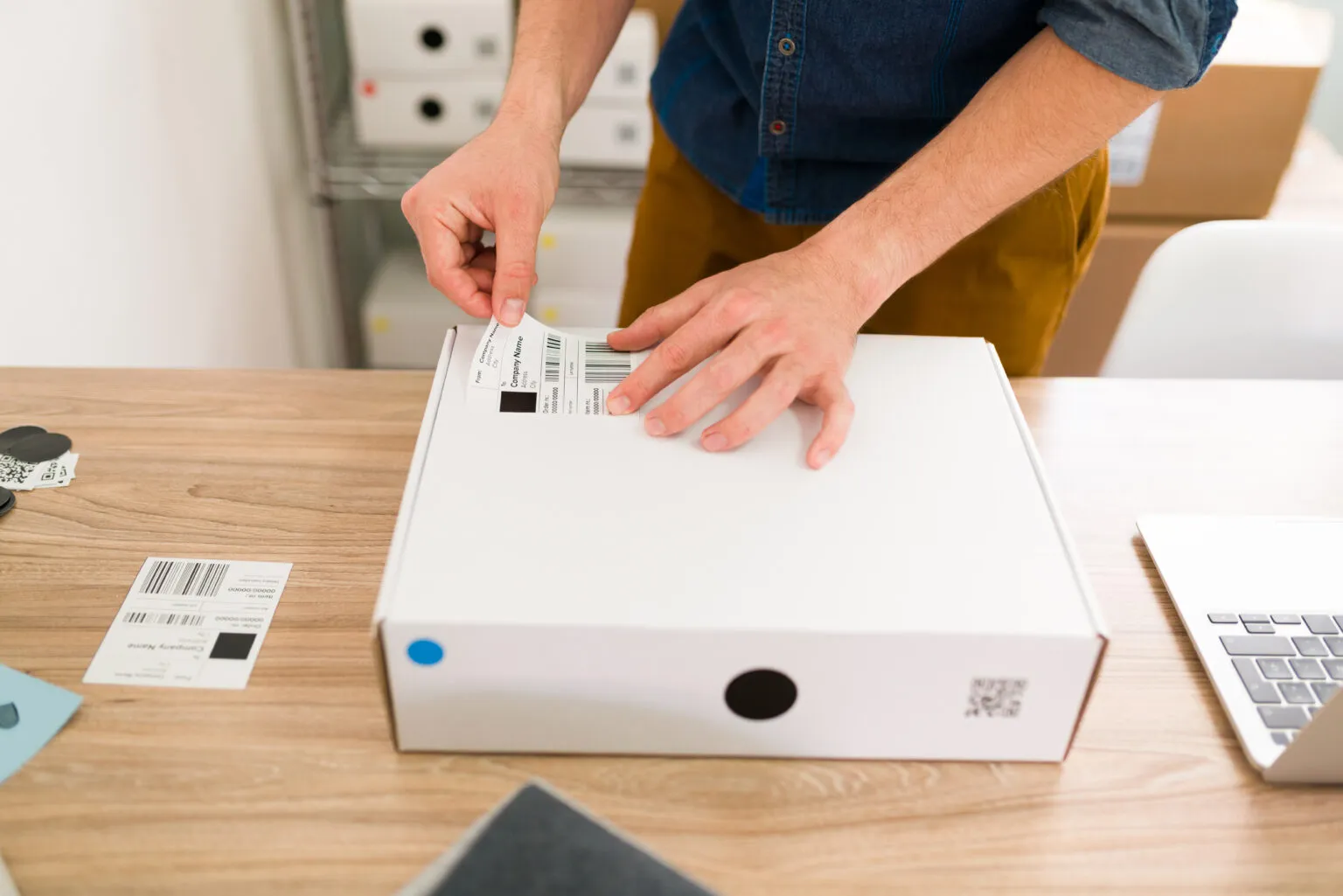
    Institution and carton labels are printed on the thermal printer; books are scanned into the carton, the carton contents are recorded and the carton is closed.

  4. 4

    Dispatch and report

    A per-institution dispatch list and carton content report come out; a delivery record is prepared as a PDF and attached to the tender file.

See how Panda Barcode would work in your business

Tell us briefly about your process and we will walk through the screens with your own example.

  • Reply the same business day
  • 15+ years of experience
  • 90 client businesses

Panda Barcode features

Panda Barcode: Excel integration
  • Excel integration

    The tender book list is bulk-uploaded from Excel; column mapping is done once, and the same template is used for the next tender.

  • Per-institution splitting

    A single list is split into orders by institution, school or library; each institution's book and quantity list appears on its own screen.

  • Matching with a barcode reader

    The ISBN is scanned, matched with the order and the quantity drops; a book not on the list or an excess quantity stops the process with a red warning.


Panda Barcode: Labels from a thermal printer
  • Labels from a thermal printer

    Institution label, carton label and book label; works with your existing thermal printer and barcode reader, with no extra device needed.

  • Preparation, carton and dispatch modules

    Each step is a separate module: preparation screen, carton creation and closing, dispatch list; switched on as needed and used in sequence.

  • Carton content tracking

    Which book in which carton in what quantity; when the carton label is scanned the contents appear on screen, and the record is ready when a shortage is reported.

  • Reporting

    Preparation status, dispatch report and delivery record by tender, institution and carton; output as Excel and PDF.

  • Cloud and multi-user

    The preparation team works on the same tender at the same time; the warehouse and the office see the same list, and records update instantly.

What does Panda AI add to Panda Barcode?

The Warehouse and Stock Agent is the Panda AI agent that answers live stock queries and reports slow-moving stock and the need for transfers between branches.

  1. Today Someone phones the warehouse to check stock With the agent Live stock queries over WhatsApp
  2. Today Slow-moving stock is only noticed at the stock count With the agent A slow-moving and excess stock report every week
  3. Today The need for a transfer between branches is seen late With the agent Transfer suggestions ready for each branch

Jobs it takes on

  • Live stock and location queries
  • Slow-moving and excess stock analysis
  • Shipment and picking lists
  • Transfer suggestions between branches
  • Stock count variance reports
  • Critical level alerts

The agent prepares, a person approves. Anything that posts a record or sends something outside the company goes through your approval.

Explore Panda AI agents

Frequently asked questions about Panda Barcode

Who is it built for?

For publishers, companies supplying books to schools and libraries, and distributors entering public tenders. The shared problem is the same: a long per-institution Excel list, many cartons and shortage disputes at delivery. The application brings these three steps onto one screen.

Does it work with my existing barcode reader and printer?

Yes. It is compatible with USB or Bluetooth barcode readers and thermal label printers, so no extra investment is needed. Your device is tested during setup and the label size is adjusted to your printer; if you are buying new devices, a list of compatible models is provided.

What if my Excel format is different?

At the first upload, you map the columns: you mark which column holds institution, book title, ISBN and quantity. The mapping is saved as a template, and the next list from the same institution is uploaded directly. Missing or faulty lines come back as a list that you correct and upload again.

How are books without an ISBN handled?

A barcode is generated for the book in the system and a label is printed on the thermal printer; later scans use this label. Another edition of the same title is kept as a separate record, so the wrong edition does not enter a carton, and the preparation screen raises a warning.

Can I start a new tender before another one finishes?

Yes. Each tender is opened as a separate file; the preparation team works on several tenders at once, and reports are drawn by tender. A closed tender stays in the archive, and when an institution disputes, the carton record is opened from there.

Can it be used without Panda ERP?

Yes. Panda Barcode works on its own; the tender list, cartons and dispatch records are kept in the application. If you use Panda ERP, book stock, institution accounts and invoices are linked to the same record, and the dispatch list turns into an electronic delivery note.

What happens when an institution disputes a missing book?

The institution's carton label is scanned or the carton number is entered; which book was sent in what quantity in that carton is visible from the record. The user who scanned during preparation and the time stay in the audit log, and a delivery record is sent to the institution as a PDF.

What does the agent do in Panda Barcode?

Per-institution book lists are read from Excel, split into order lines, and missing or duplicate ISBNs are listed. The operations manager approves moving on to label printing; the agent does not close cartons, decide on dispatch or send a delivery record to an institution.

See Panda Barcode with your own data

Describe your process in a few sentences and we will show you the modules that fit.

  • 15+ years of enterprise software experience
  • In the cloud or on your own server
  • Processes compliant with KVKK (Turkey's data protection law)

Last reviewed: · Panda Yazılım product team